HACK FOR L.A.
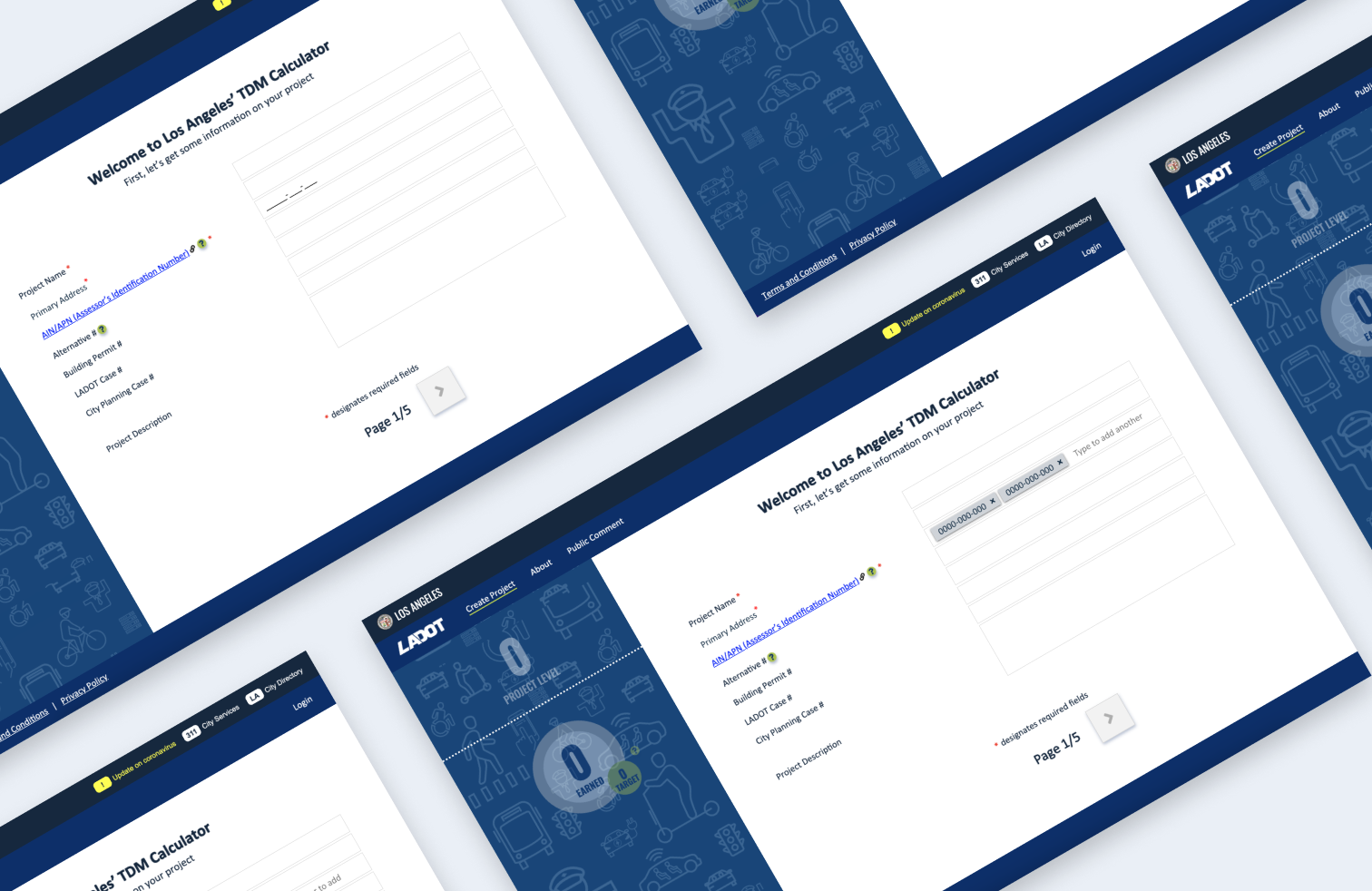
Reducing real estate project rejections
Getting a real estate project approved by the City of Los Angeles involves navigating detailed requirements, and even small mistakes can lead to delays or rejection. The L.A. TDM Calculator was built to help developers meet those requirements, but a key part of the experience wasn’t keeping up with how projects actually work in the real world.
Most projects include multiple properties, each with its own ID number. The tool, however, only allowed users to enter one. This mismatch created confusion, caused errors, and ultimately led to valid projects being rejected.
This project focused on closing that gap, making it easier for users to enter the right information the first time, so they could move forward with confidence.
Team
3 Designers
1 Researcher
2 Product Managers
2 Software Engineers
2 Stakeholders
Tools
Figma
GitHub
Slack
Azure
Agile (Kanban)
Time
2 Months
Problem
AIN numbers are used to identify property and are required for projects to be submitted to Los Angeles City Planning. During the usability testing, users were unsure how to input information for projects with multiple AIN numbers. Historically, users could only enter one AIN number for each project, which resulted in projects being rejected when reviewed by Los Angeles City Planning.
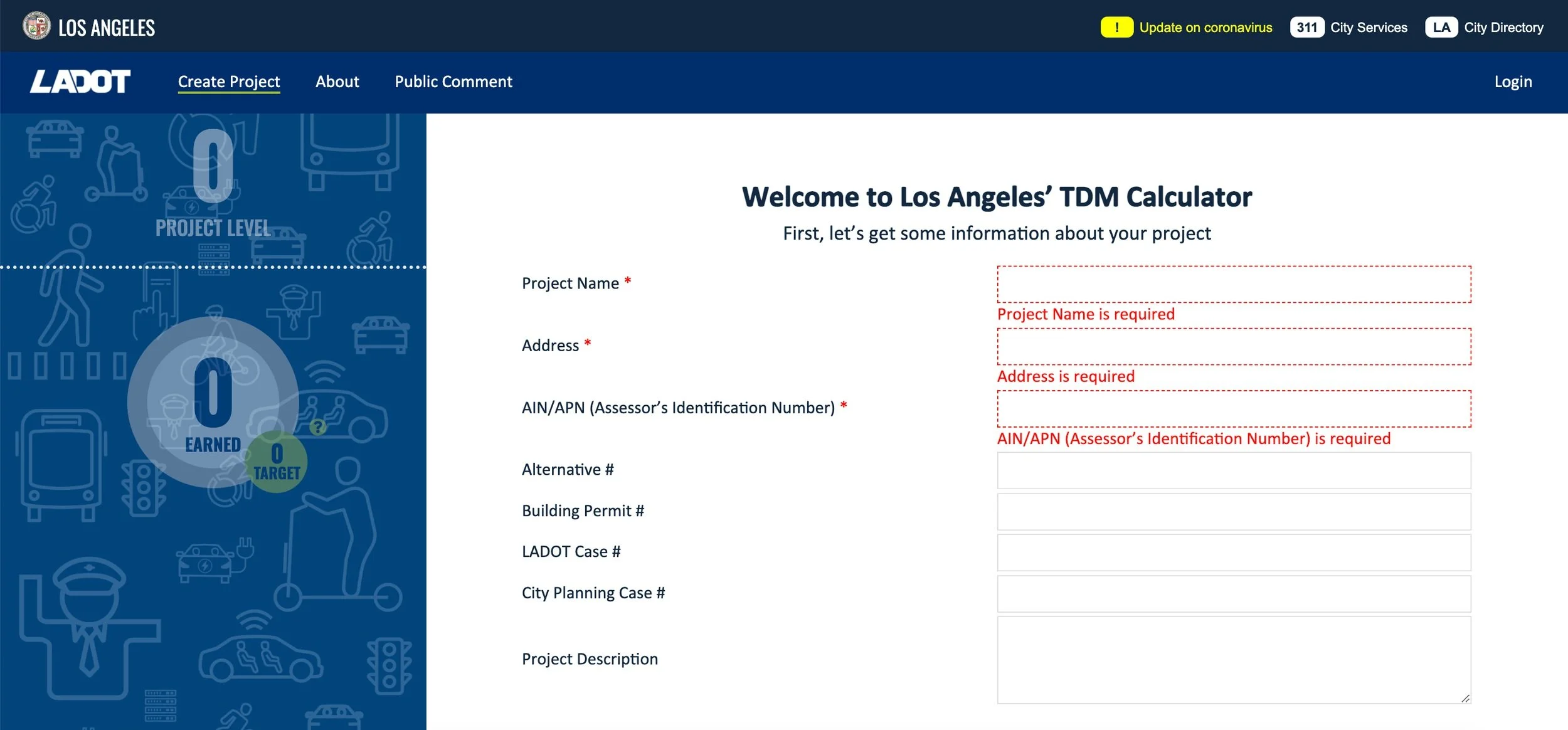
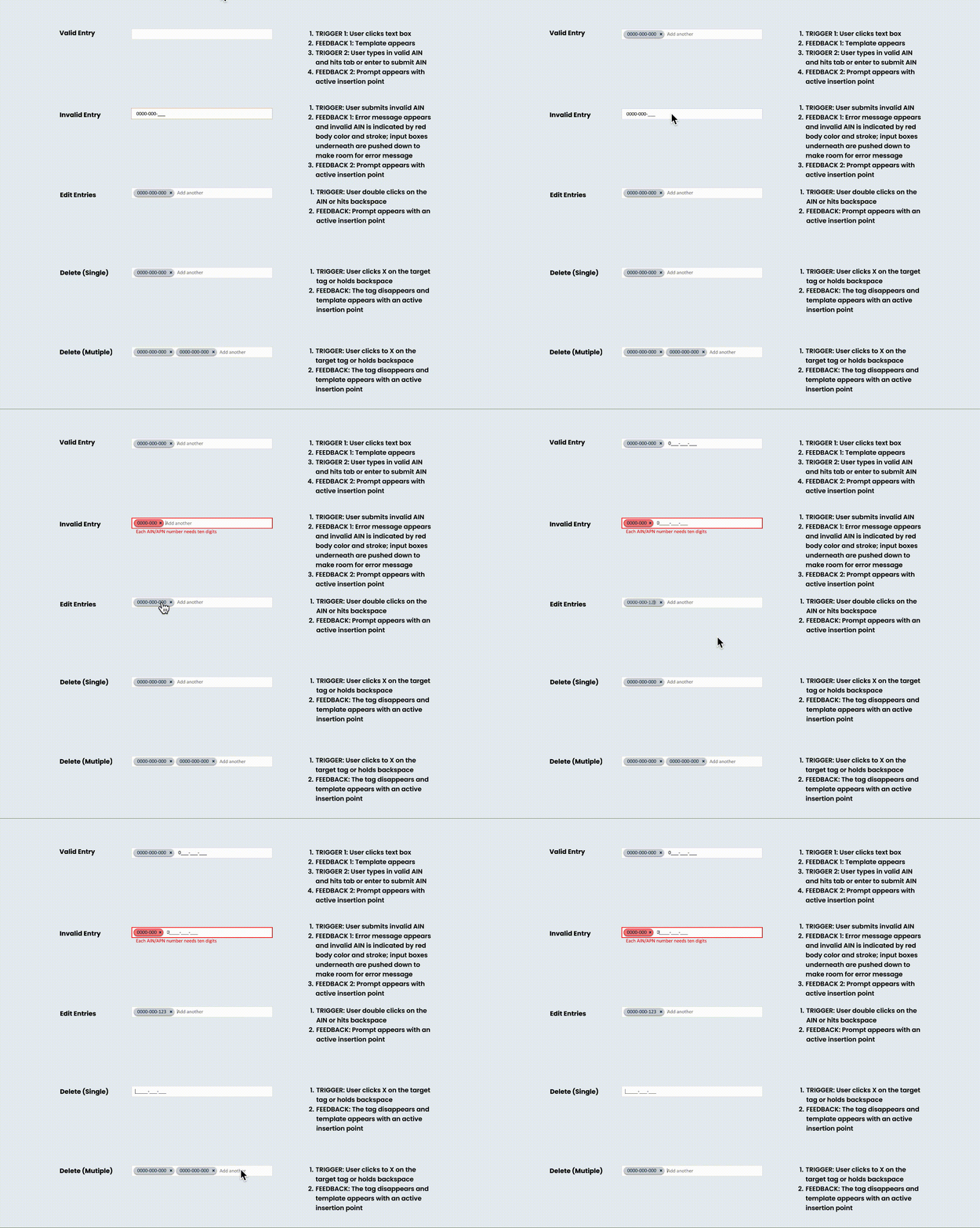
Allowing users to add, edit, and update entries was important but also complex. The most challenging part about designing this feature was addressing all potential interactions during a user’s experience. We used concise copy and clear visuals to help them understand what was happening at each step.
Goals
User: Add, edit, and delete multiple AIN number entries
Business: Increase approved projects
Product: Expand web app capabilities
Ideation
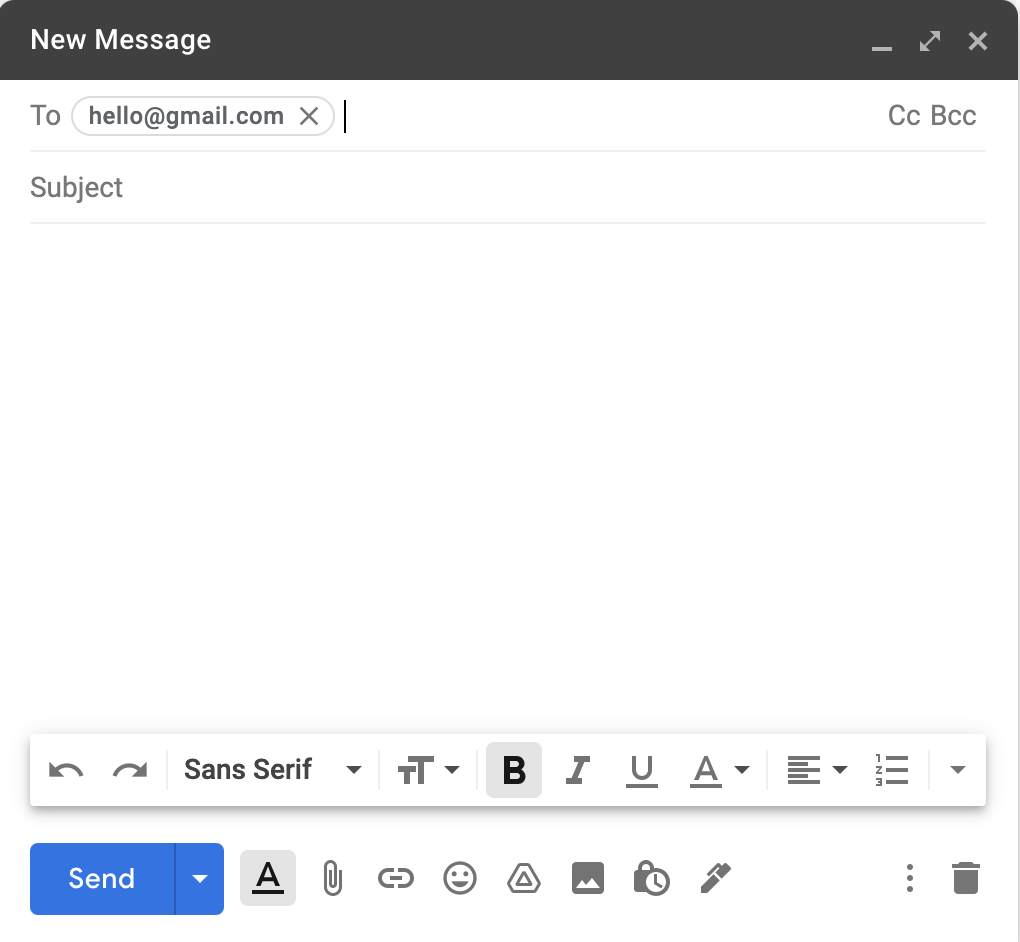
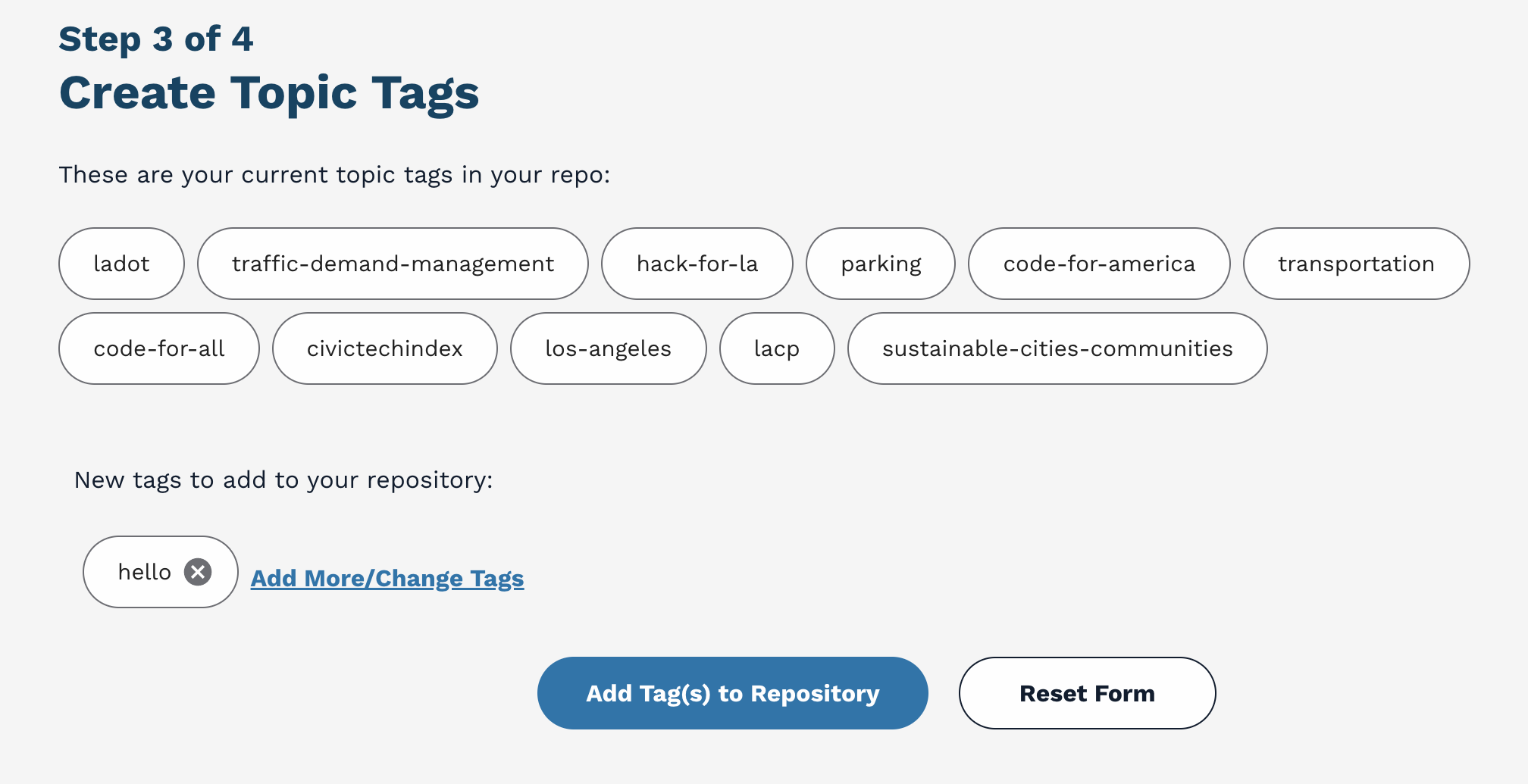
During ideation, we wanted to get a better idea of the ways we could approach this problem. Our team brainstormed different approaches and voted on the top idea to work on. We decided to design the feature around a tagging system.
Tag System Examples
Google Mail
Civic Tech Index
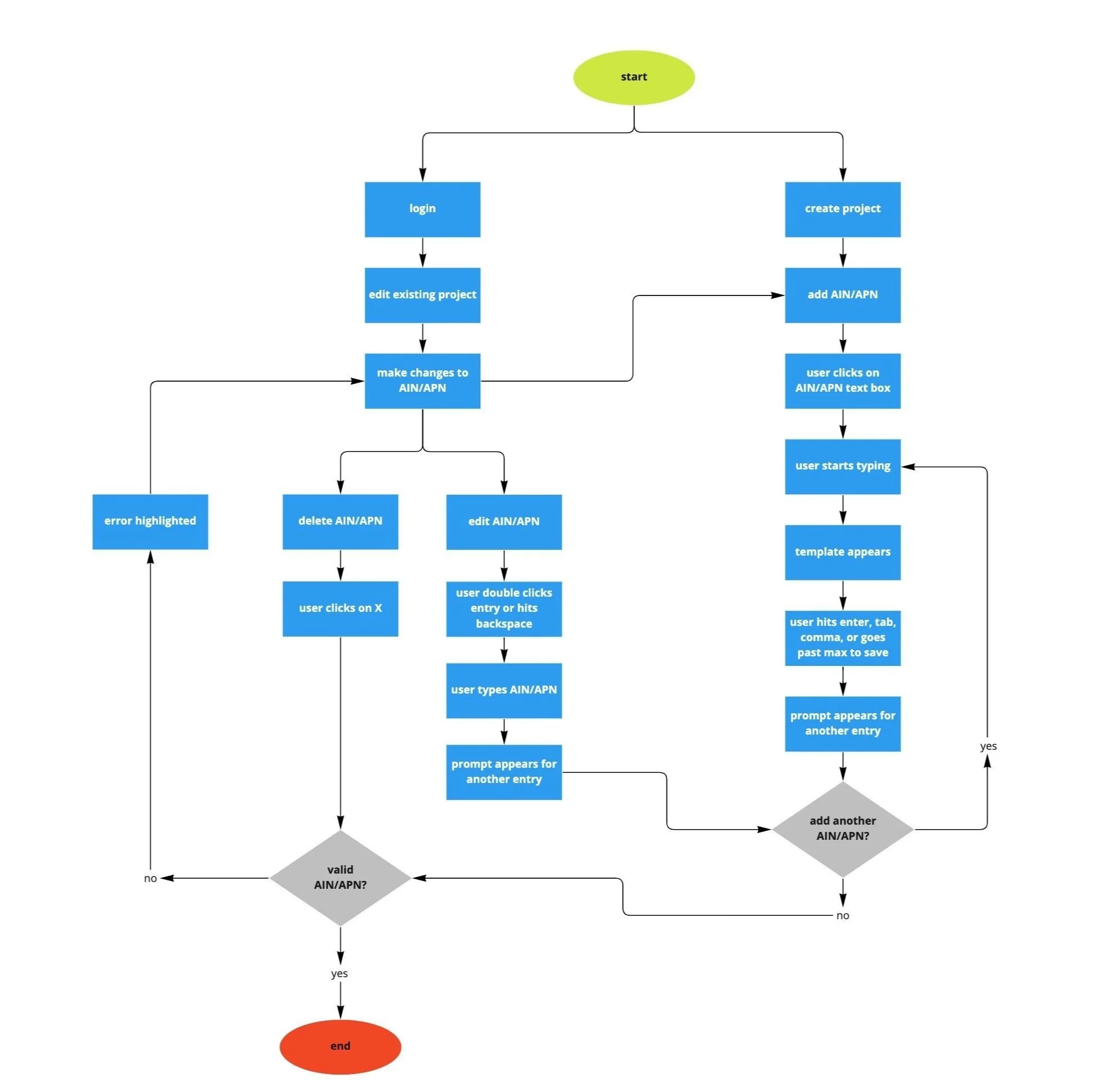
Task Flow
Creating a task flow was crucial in showing the possible interactions that a user may experience with the multiple entries feature. By doing so, we validated our understanding of how users move from “A” to “B”– and uncovered points of friction that stop them from achieving their goals. Here, we wanted to answer the questions:
What tasks are the users trying to accomplish on your site?
How do the users go about accomplishing these tasks?
Style Guide
How it Works
Considering Micro-Interactions & Accessibility
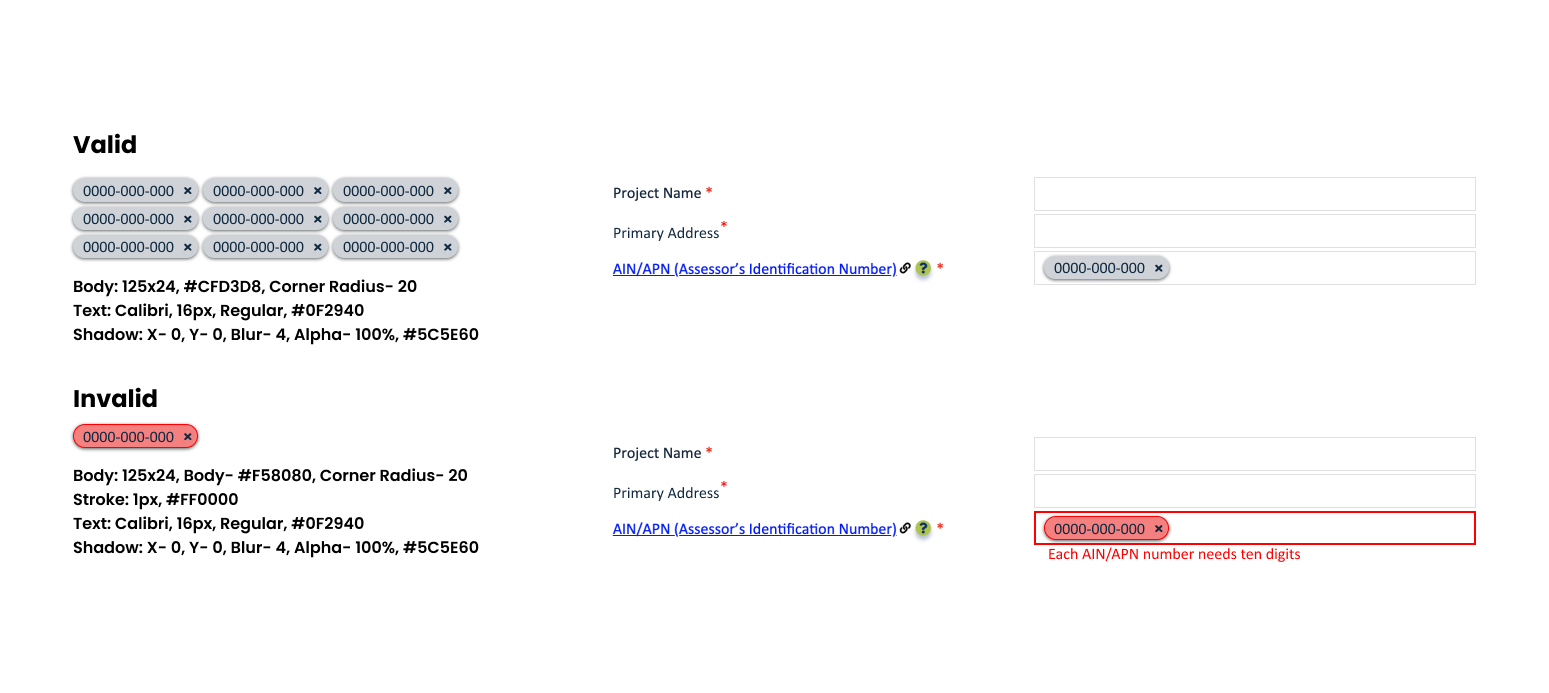
Users are able to interact with the AIN numbers that behave as tags. These tags allow users to:
Add more than one entry in the same input container
Make changes to individual entries
Considering accessibility, we added alternative input options that allows users to interact via their keyboard in addition to their mouse.
Reflection and Next Steps
This was my first time working cross-collaboratively with different teams so it was an adjustment. Here are some things I learned along the way:
Stand up for yourself and your work. If you’re an introvert, it can be difficult to voice your ideas in a crowd of highly opinionated people. Create opportunities for you to speak, whether by asking your project manager or meeting leader for time to speak during a meeting or providing feedback on meeting dynamics.
Always provide and ask for a “why.” This is crucial in clarifying and understanding how you and your team make decisions. Not only that, it also helps narrow down ideas. If there’s no “why” behind your idea, then that idea won’t be valuable to the team.
Next steps:
Assist engineering team in bringing design to life
User testing